01 / 06
Capture the tabs you already have open
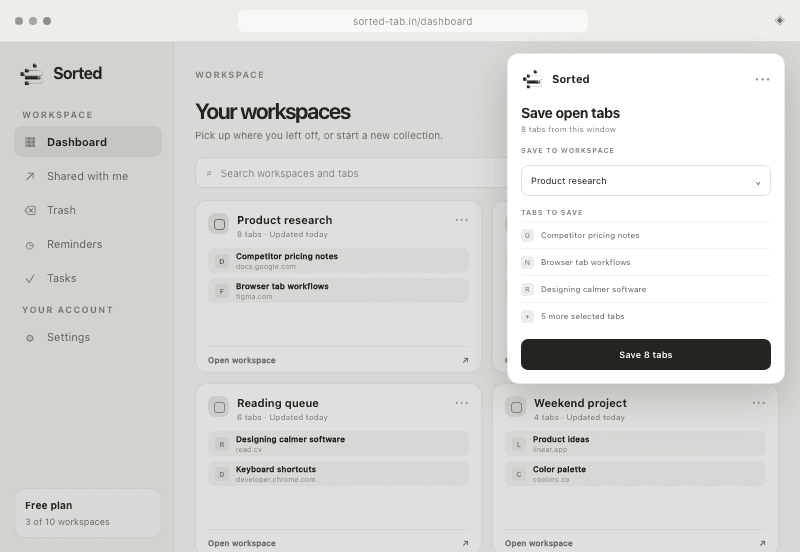
Choose tabs in the Chrome extension and save them together. Drop a selection onto the dashboard to create a workspace, or onto an existing card to add more later.
Save the tabs around a project as one Sorted workspace. Reopen the whole context when you are ready to pick it back up.
Drag to explore your workspace orbit.
Inside Sorted / 01
Save the useful pages, add a little context, and reopen the entire workspace when you are ready.
 Sorted · Dashboard
Go ahead — drag the cards.
02 / See it in motion
Capture the tabs you need, give the collection a name, and reopen the whole context later.
03 / The workflow
04 / Sorted on the move
The mobile app is in development. It is being designed to bring your Sorted account to your phone, with link saving, time-boxed tasks, and gentle reminders that sync with the website.
05 / Product system
A focused tab library with a companion Chrome extension. No complicated setup and no invented productivity metrics.
Scroll with your wheel or trackpad · drag to browse · or choose a title from the listSwipe through the cards · tap a dot to choose a workflow
Choose tabs in the Chrome extension and save them together. Drop a selection onto the dashboard to create a workspace, or onto an existing card to add more later.
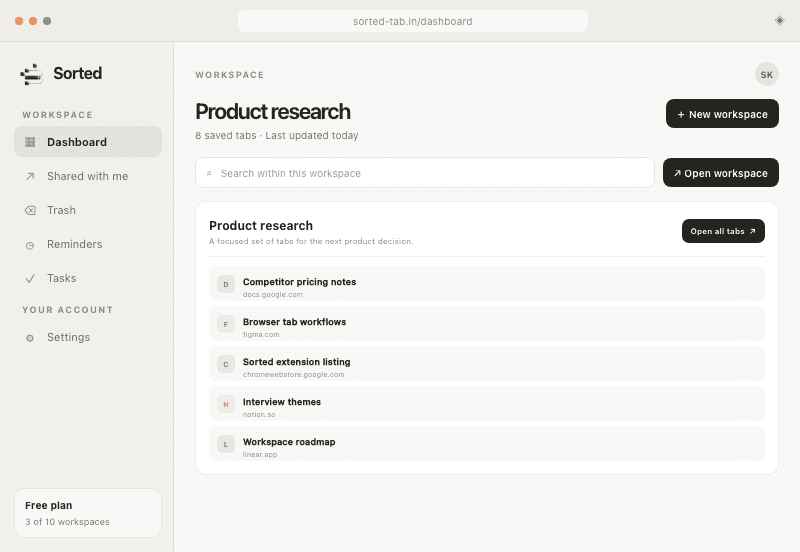
Launch every saved tab at once. Keep them in your current window or open a clean separate window for focused project work.
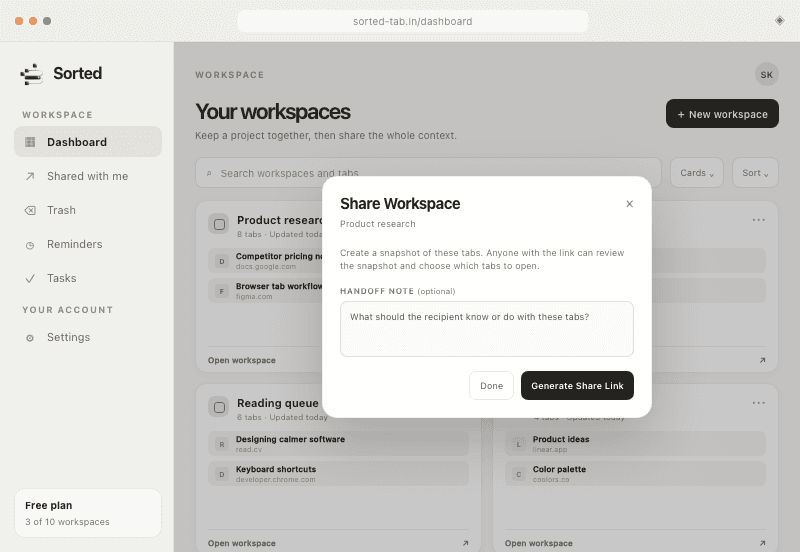
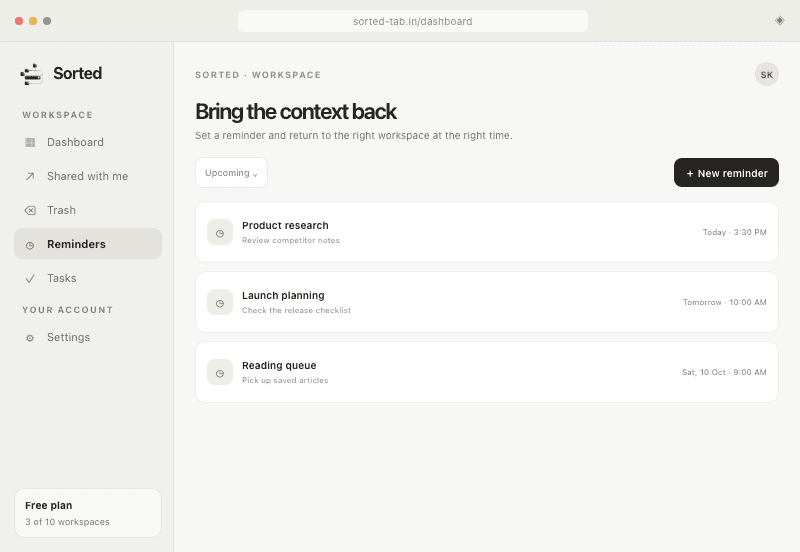
Send a workspace link with an optional note. Recipients see only what you chose. Set a reminder and Sorted brings the whole workspace back at the time you choose. Workspaces, reminders, and tasks stay synchronized across the website, extension, and mobile app.
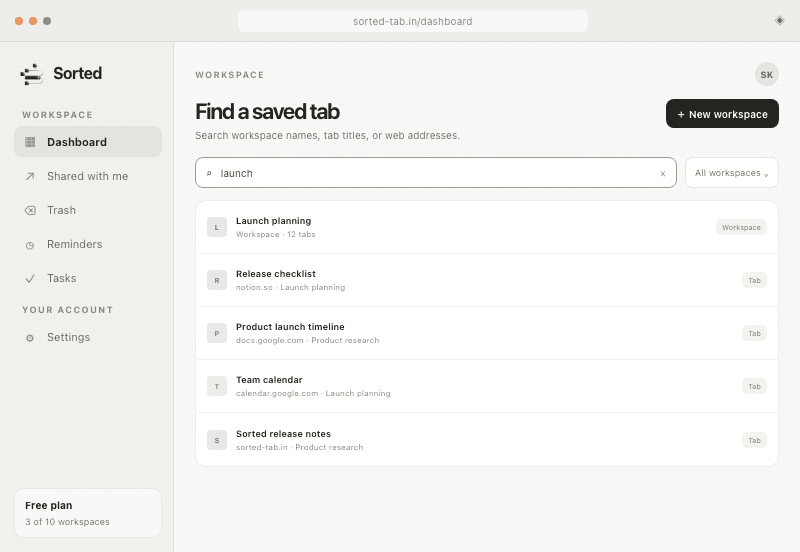
Search workspace names, tab titles, and web addresses, so anything you saved is seconds away.
Choose comfortable or compact views, reorder workspaces and tabs by hand, and restore deleted workspaces within your plan’s recovery window.
Create tasks for the apps and links you mean to enjoy. Sorted nudges you when the window opens and when it closes — intention, not surveillance. Free on every plan; recurring tasks with Pro.
06 / Pricing
Start free, then choose $4.99 monthly autopay or pay $69.99 once for lifetime access.
No card required
Start organizingIncluded
Automatic monthly renewal · cancel anytime
Choose ProIncluded
One payment · lifetime access · no renewal
Get lifetime accessIncluded
Prices are loaded directly from checkout. Taxes, if applicable, are shown before payment. One plan covers the website, browser extension, and mobile app.